A free VideoScribe and Instadoodle alternative for browser-based whiteboard videos
Inkplainer is a free open-source whiteboard animation maker for creating hand-drawn explainer videos in a desktop browser. There is no required account, no subscription, and no watermark on exported videos.
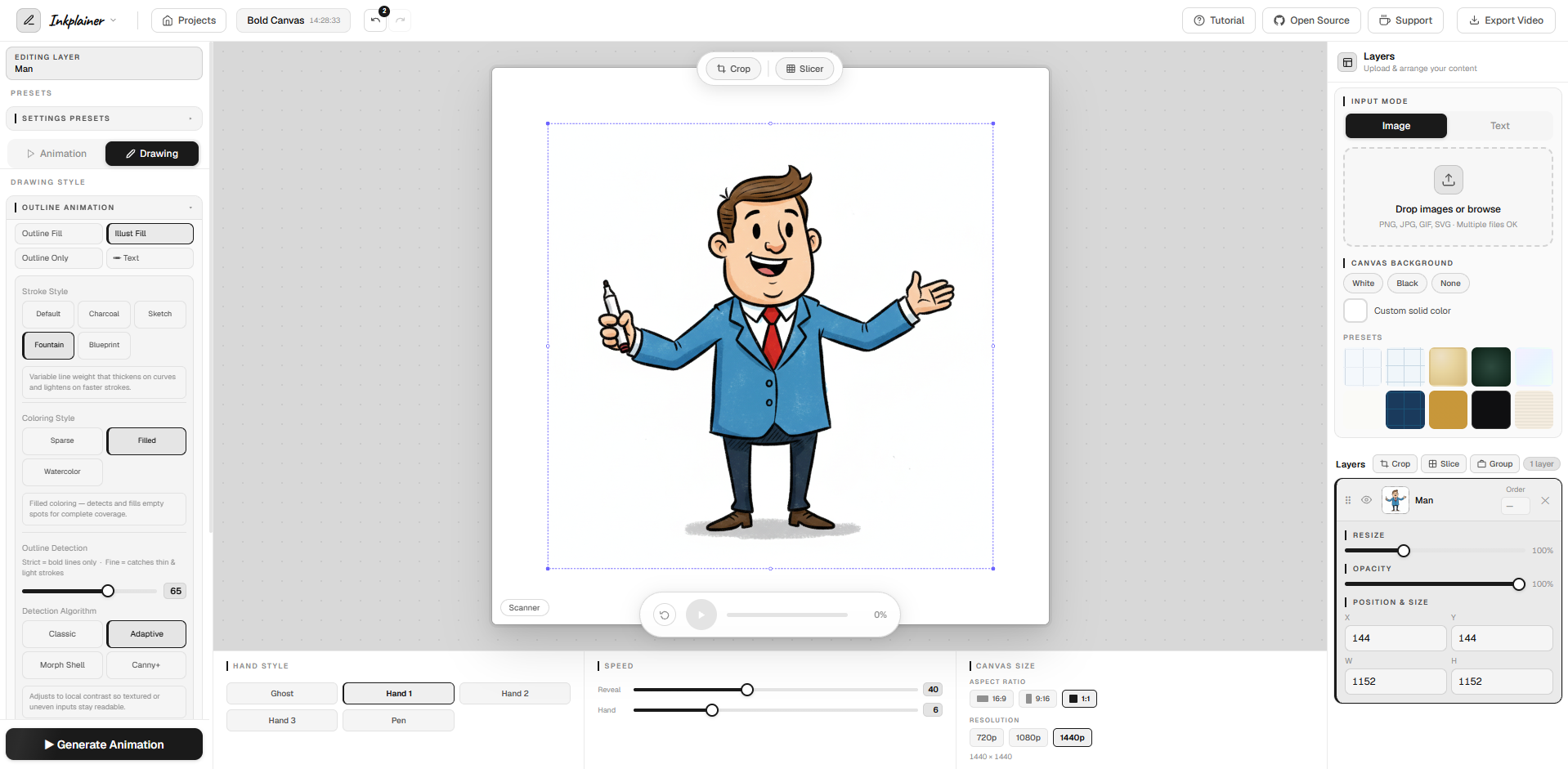
Why creators look for a free alternative
Whiteboard animation is useful for education, marketing, product explainers, classroom projects, and quick social videos. Many well-known whiteboard animation tools are paid products, which can be difficult for students, teachers, solo creators, and small teams who only need a lightweight way to turn images and text into a hand-drawn video.
Inkplainer focuses on the core workflow: add visuals, choose a drawing or reveal style, generate the animation, and export a finished video. It is not trying to clone every commercial feature. It is trying to make the essential whiteboard animation workflow accessible, private, and free.
What makes Inkplainer different
Free to use
Create and export whiteboard animation videos without a required subscription or watermark.
Open source
The project source is public, making Inkplainer inspectable and community-friendly.
Browser based
The editor runs in a desktop browser and keeps your project content local to your device.
Useful for VideoScribe and Instadoodle-style projects
If you are searching for a free VideoScribe alternative or a free Instadoodle alternative, Inkplainer covers the kind of work many people need most:
- Hand-drawn explainer videos from images and text.
- Whiteboard animation styles with visible drawing motion.
- Project layers, canvas sizes, background choices, and export controls.
- MP4 or WebM video export from the browser.
- No account gate before you can start experimenting.
VideoScribe and Instadoodle are separate commercial products owned by their respective companies. Inkplainer is an independent open-source project for people who want a free browser-based whiteboard animation maker.
Start with the free app
Open Inkplainer on a desktop browser, add an image or text layer, choose an animation style, and generate a whiteboard video preview. When it looks right, export your animation as a video file.